How to set up Google Webmaster Tools
Google webmaster tools is a FREE tool from Google that digs down to the raw data behind your site. Its quick and easy to set up.
- Click Google Webmaster Tools to get started.
- One logged in, click the “Add a Site” button like you see here

Webmaster Tools Add a Site
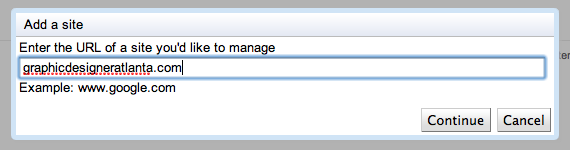
- Add the URL of the website

Webmaster Tools add URL
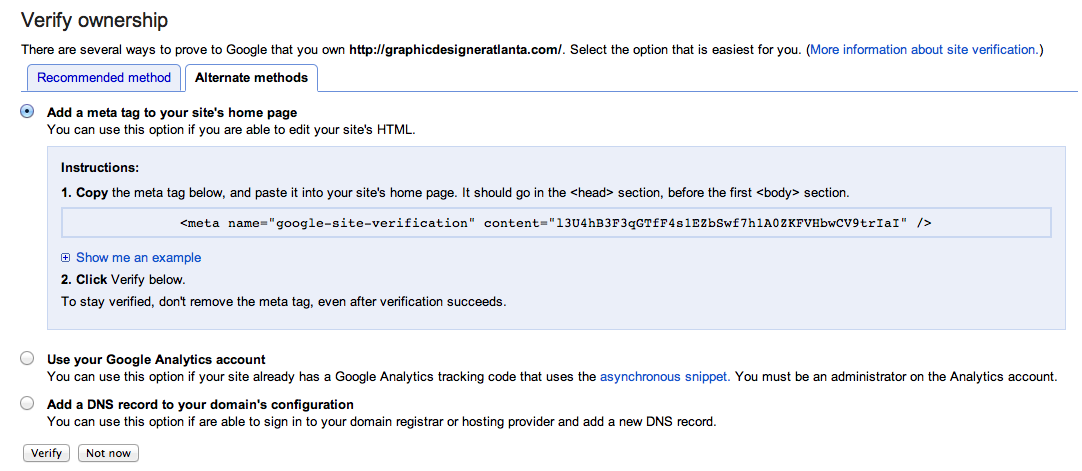
- I find it easier to select “Alternate Methods” and just paste a tag into my website’s homepage. There are many methods, I just find this quick and easy

Webmaster tools meta tag into website homepage













One response to “How to set up Google Webmaster Tools”
[…] to set up Google Webmaster Tools https://blackbeardesign.com/how-to-set-up-google-webmaster-tools/ Like this:LikeBe the first to like this […]