How to change or remove Google Analytics weekly email
By Joel Black on 01/12/2012
I have been trying for some time to figure out how to change or even stop the Google Analytics weekly emailer in the new Google Analytics system to no avail. Well, today I finally found some info on it from Google…back from November! It shows how to do it by simply clicking the “Standard Reporting > Email” button as seen below.
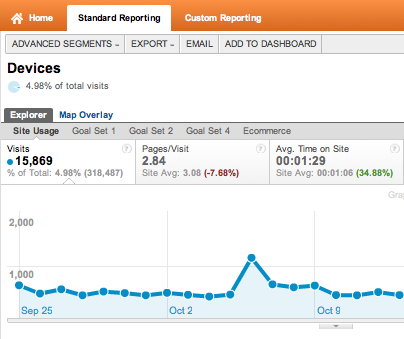
Google Analytics Email Report
So I scour my analytics account for this magic button, but keep reading. Next they tell you…oh yeah, but that feature isn’t released yet. But it will be ready in a few weeks as they stated in November of last year!
“If you are using the newer version of Google Analytics, click here for the latest version of removing the weekly email in Google Analytics.”
So here is the only way I could figure out how to do it. First go to the old version by clicking the link in at the top right.












21 responses to “How to change or remove Google Analytics weekly email”
Thanks, Black Bear! Couldn’t have done it without this post. You’re right. What was Google thinking?
Thanks, Black Bear! Couldn’t have done it without this post. You’re right. What was Google thinking?
I’ve got an account that’s only a couple weeks old. I want to delete some test reports I set up. There’s a link at the bottom that says “Old version – Reporting” ….. which doesn’t take me to the old version; it just refreshes the new version. Do you know if there’s ANYTHING I can do here? I’ve been trying for hours to find a way to delete these. This is crazy. Thanks so much for any help!!
Ah, I just found it under Admin in the new version. Whew. Thanks anyway.
Glad you fond it! The old system now will not even let you turn off reporting. Like you said, the link doesn’t work anymore. Google said they will be discontinuing old reports soon.
In the new version, go to the ADMIN menu (top right) and on the PROFILES tab there is a link for Scheduled Emails.
Thank You! This helped!
This was exactly what I needed – THANK YOU!
I freakin’ love you! Was trying to find that for the longest time. GOOGLE, make this easier to find!!!!!
omg thanks! why was that so bloody hard?
Thank You So much!!
I’m in the new version, When I click on Scheduled Emails, nothing pops up, yet I have 2 daily emails coming, one for Audience Overview and one for New vs. Returning users, I’m trying to delete the first one since the numbers are duplicated in the 2nd report.-
Actually, I just realized I had the wrong domain filtered, this worked perfectly, thank you! They really make it hard to cancel something once you activate it!
This works! .. make sure you have correct domain.. I was having same problem. Thank god for blog posts!
This works, but, I didn’t find it when I looked where you told us to look. The ADMIN tab isn’t really in the top right. It’s located more in the “center left” of my screen (after Home, Reporting, and Customization).
Am I in the new-new-version? I don’t have the profiles tab under the admin menu 🙁
This took some Googling to figure out for me too!
Click “Admin” on the right in the orange menu
Click “Scheduled Email” link
There will be an Actions drop-down to the right of existing scheduled emails with an option to “Delete”
I googled how to do this and found your blog. Small world!
ha, I thought you knew how to do everything 🙂
Hey Joel! I thought I knew how to do everything too (tongue firmly in cheek)! But this one really had me stumped until I Googled and found your post. I saw snowrider’s post from 3 years ago and it helped me find the appropriate place to go to remove my scheduled emails! Thanks for your post (what? 3 years ago?).
Thoughtful analysis ! I learned a lot from the details , Does anyone know if my company might locate a sample CA FTB 588 example to fill out ?
Hi, my partner found a fillable NY MV-82 form here
http://goo.gl/mwRRtY